eRoute physics engine
Physics you can feel.
Ride Cave solves Newtonian force equations every tick of your ride. Real momentum on descents, surface-aware rolling resistance, aerodynamic drag by bike type, and automatic cornering speed limits computed from your route's GPS data.
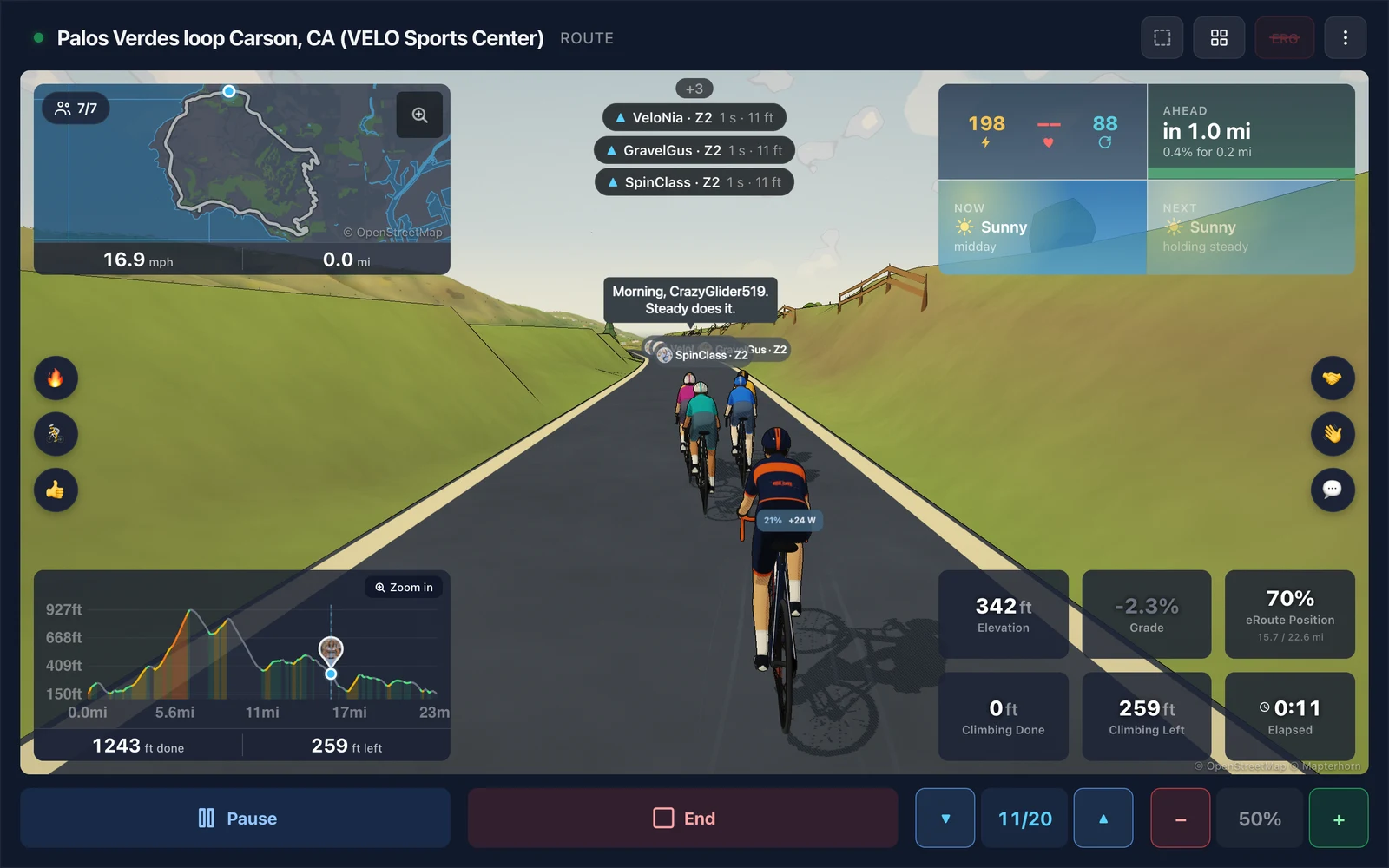
The model
Force-based speed with real momentum
Your speed isn't a lookup table. It's the result of four forces acting on you and your bike, integrated over time using Euler's method. You carry speed from descents into climbs, coast when not pedaling, and decelerate naturally into corners.
Four forces in, one velocity out.
Integrated hundreds of times per second. Every tick, the engine computes the net force on the rider and integrates acceleration into velocity.
Propulsion
Your pedaling force, derived from your real-time power output. The harder you push and the slower you're going, the more force you produce.
Aerodynamic Drag
Air resistance grows with the square of your speed. Drag area varies by bike type: a time trial bike in aero position produces roughly 30% less drag than a mountain bike.
Rolling Resistance
Friction between tires and ground. Scales with rider weight and varies dramatically by surface: sand produces nearly 7x more rolling resistance than smooth road.
Gravity
Resists you on climbs, assists you on descents. Combined with momentum-based integration, this means you naturally accelerate downhill and carry speed into flat sections.
eRoute environment
Surface and bike type matter
Set your surface type and bike type when importing an eRoute. The engine adjusts rolling resistance, aerodynamic drag, and tire grip for cornering based on your selections.
Surface Types
| Surface | Rolling Resistance | Tire Grip | Description |
|---|---|---|---|
Road | Low | High | Asphalt or concrete |
Gravel | Moderate | Moderate | Packed gravel roads |
Trail | High | Moderate | Singletrack, dirt |
Grass | Very High | Low | Cyclocross-style |
Sand | Extreme | Low | Beach, deep gravel |
Bike Types
| Bike | Aero Drag | Description |
|---|---|---|
Road | Moderate | Standard drops position |
Gravel | Moderate-High | Slightly more upright |
Mountain | High | Flat bars, wider stance |
Time Trial | Low | Aero bars, tucked position |
Cornering
Automatic cornering speed limits
The engine computes turn radii from your route's GPS data and caps speed through corners based on real tire-surface friction physics. No configuration needed: sharp turns naturally slow you down.
Direction changes detected
From GPS heading between consecutive route points.
GPS noise filtered
With a rolling average to prevent false corners from signal jitter.
Turn radius estimated
At each point along the route.
Speed limited with look-ahead
So braking starts before the turn, not in it.
Momentum preserved
You decelerate naturally into turns and accelerate out.
Speed limits
Max cornering speed by surface and radius
Lower friction surfaces (trail, sand) and tighter turns produce stronger speed caps. Road routes are nearly unaffected: the penalty only kicks in when speed is genuinely unrealistic for the turn geometry.
| Turn Type | Radius | Road | Gravel | Trail | Grass | Sand |
|---|---|---|---|---|---|---|
| Tight switchback | 33 ft | 19 mph | 16 mph | 14 mph | 12 mph | 10 mph |
| Sharp turn | 66 ft | 26 mph | 22 mph | 20 mph | 17 mph | 14 mph |
| Moderate bend | 164 ft | 41 mph | 35 mph | 31 mph | 27 mph | 22 mph |
| Gentle curve | 328 ft | 59 mph | 50 mph | 44 mph | 38 mph | 31 mph |
Real-world impact
Subtle where it should be, realistic where it counts
Cornering penalties are generous: they only matter when your virtual speed would be genuinely unrealistic for the turn geometry. Road routes are barely affected; technical trails see meaningful realism.
0-2%Road slower (few sharp turns, high grip)
2-5%Gravel slower (winding sections, moderate grip)
5-15%Trail slower (frequent turns, lower grip)
10-20%Grass slower (tight course, low grip)
15-25%Sand slower (technical terrain, minimal grip)
Elevation
Grade pipeline
Raw GPS altitude is noisy. The engine processes it through multiple stages to produce smooth, accurate grades that drive both the trainer resistance and the virtual speed model.
GPS points resampled
At uniform intervals for consistent spacing.
Altitude spikes filtered
Isolated GPS errors from tunnels, canyons, and signal loss are automatically corrected.
Switchback zones detected
Areas where GPS horizontal error causes bad elevation readings get extra smoothing.
Elevation smoothed
With rolling averages to eliminate noise while preserving real terrain features.
Grade profile pre-computed
As a single source of truth shared across the chart, trainer, and speed model.
Trainer grade smoothed
With look-ahead for responsive but jerk-free resistance changes.
Speed models
Two models for two ride types
Momentum-Based (eRoutes)
Your speed evolves continuously based on the net force acting on you. Carry speed from descents into flats, coast when you stop pedaling, and decelerate naturally into corners and climbs.
Steady-State (ERG Workouts)
Given your current power, weight, and grade, the engine computes what speed you'd stabilize at. Used when there's no eRoute: speed responds immediately to power changes without momentum carry-over.
Trainer integration
What you see is what you feel
Your trainer resistance and virtual speed stay in sync. Surface type, bike type, and terrain grade all influence what you feel on the pedals and what you see on screen, so riding gravel actually feels heavier than riding road, and a mountain bike on trail behaves differently than a road bike on pavement.
| Parameter | Trainer Resistance | Virtual Speed |
|---|---|---|
Grade | Scaled by Trainer Difficulty, smoothed | Raw from grade profile (unscaled) |
Surface Type | Increases resistance on rougher surfaces | Higher rolling resistance, reduced cornering grip |
Bike Type | Minimal effect | Adjusts aerodynamic drag by riding position |
Velodrome
Track materials
The velodrome module uses separate rolling resistance coefficients for indoor track surfaces.
| Wood | Fastest. Smooth, purpose-built timber. |
|---|---|
| Concrete | Standard outdoor velodrome surface. |
| Tarmac | Rougher asphalt, typical for older tracks. |
Transparency
Limitations of virtual physics
While this is a sophisticated system, it will never be perfect. Here are the known trade-offs and what they mean for your ride experience.
The physics engine errs on the side of being slightly generous rather than overly punishing. In practice, this means your virtual ride may be a bit faster than an identical real-world effort, but it should never feel artificially slow or broken.
| GPS resolution | Routes are resampled at 10-meter intervals, which matches consumer GPS accuracy. Very tight turns on mountain bike trails (under 10 meters radius) may not be fully captured, so your virtual speed through technical singletrack can be faster than real life. |
|---|---|
| Switchback detection | Hairpin turns on mountain descents are detected and penalized, but the tightest switchbacks (like alpine hairpins taken at walking speed) may show a higher speed cap than reality. The system uses adaptive smoothing to better capture sharp turns, but GPS noise makes sub-10-meter features inherently fuzzy. |
| Downhill cornering | The engine accounts for grade reducing available tire grip in corners: steep descents into tight turns are penalized more than flat turns. However, the model simplifies real-world combined braking and cornering forces, so very steep switchback descents may still allow slightly higher speeds than a real rider would attempt. |
| No wind | Wind speed is always zero and air density is fixed at sea level, so an exposed ridgeline rides the same as a sheltered valley. |
| Drafting changes speed, not resistance | On eRoute rides, sitting on the wheel of another rider, a bot, or a Ride Along companion cuts your air resistance by about 27% behind one rider, and more deeper in a line, so the same power goes faster. The draft changes your speed and your place on the route, never your trainer resistance, and it is off when a workout is attached. |
| Surface conditions | Friction and rolling resistance are fixed per surface type. The engine does not model wet roads, loose gravel, mud, or varying trail conditions. A gravel route always rides like good packed gravel. |
Ride with real physics.
Import any GPX eRoute, set your surface and bike type, and let the engine handle the rest. Momentum, drag, rolling resistance, cornering: all computed in real time from your power data.