Reference
Widget Formula Reference
Build custom data items with formulas that combine live workout data, computed metrics, comparisons, and math functions, for cycling, rowing and running. This is your complete guide to every operator, function, and data field available in the widget builder; the same language also powers Custom Alerts.
Operators
Arithmetic
Standard math operators with the usual precedence: multiplication and division before addition and subtraction. Use parentheses to override.
| Operator | Name | Example |
|---|---|---|
+ | Addition | Power + 10 |
- | Subtraction | Heart Rate - 48 |
* | Multiplication | IF * 100 |
/ | Division | Power / Weight |
( ) | Parentheses | (Power + NP) / 2 |
Comparisons
Conditional logic
Comparison operators evaluate to 1 when the condition is true and 0 when false. They have lower precedence than arithmetic, so Power + 10 > 100 parses as (Power + 10) > 100. Combine with if() for conditional display, or multiply two conditions together for logical AND.
| Operator | Name | Example |
|---|---|---|
> | Greater than | Power > FTP |
< | Less than | Cadence < 70 |
>= | Greater than or equal | Heart Rate >= 170 |
<= | Less than or equal | W/kg <= 2 |
== | Equal | Power == 0 |
!= | Not equal | Cadence != 0 |
Use case: Custom Alerts
The same comparison and if() language powers Custom Alerts: write any expression that evaluates non-zero when you want a toast and sound to fire, e.g. Power > FTP or Heart Rate > 0.9 * Max HR.
Functions
Built-in math functions
Wrap any expression in a function call. Functions can be nested and combined with operators.
round(x)
Rounds to the nearest integer
round(Power / Weight)If Power/Weight is 3.7, returns 4
abs(x)
Returns the absolute (non-negative) value
abs(Int Delta Power)If drift is -12, returns 12
floor(x)
Rounds down to the nearest integer
floor(TSS / 10) * 10If TSS is 67, returns 60
ceil(x)
Rounds up to the nearest integer
ceil(Elapsed / 60)If elapsed is 121s, returns 3 (minutes)
min(a, b, ...)
Returns the smallest value from multiple arguments
min(Power, Target Power)Returns whichever is lower
max(a, b, ...)
Returns the largest value from multiple arguments
max(Peak 5m, NP)Returns whichever is higher
if(cond, a, b)
Returns a when the condition is non-zero, otherwise b. Short-circuits: only the selected branch is evaluated, so the other can safely divide by zero or reference null fields.
if(Weight > 0, Power / Weight, 0)Safe W/kg even before Weight is loaded
Examples
Formula ideas
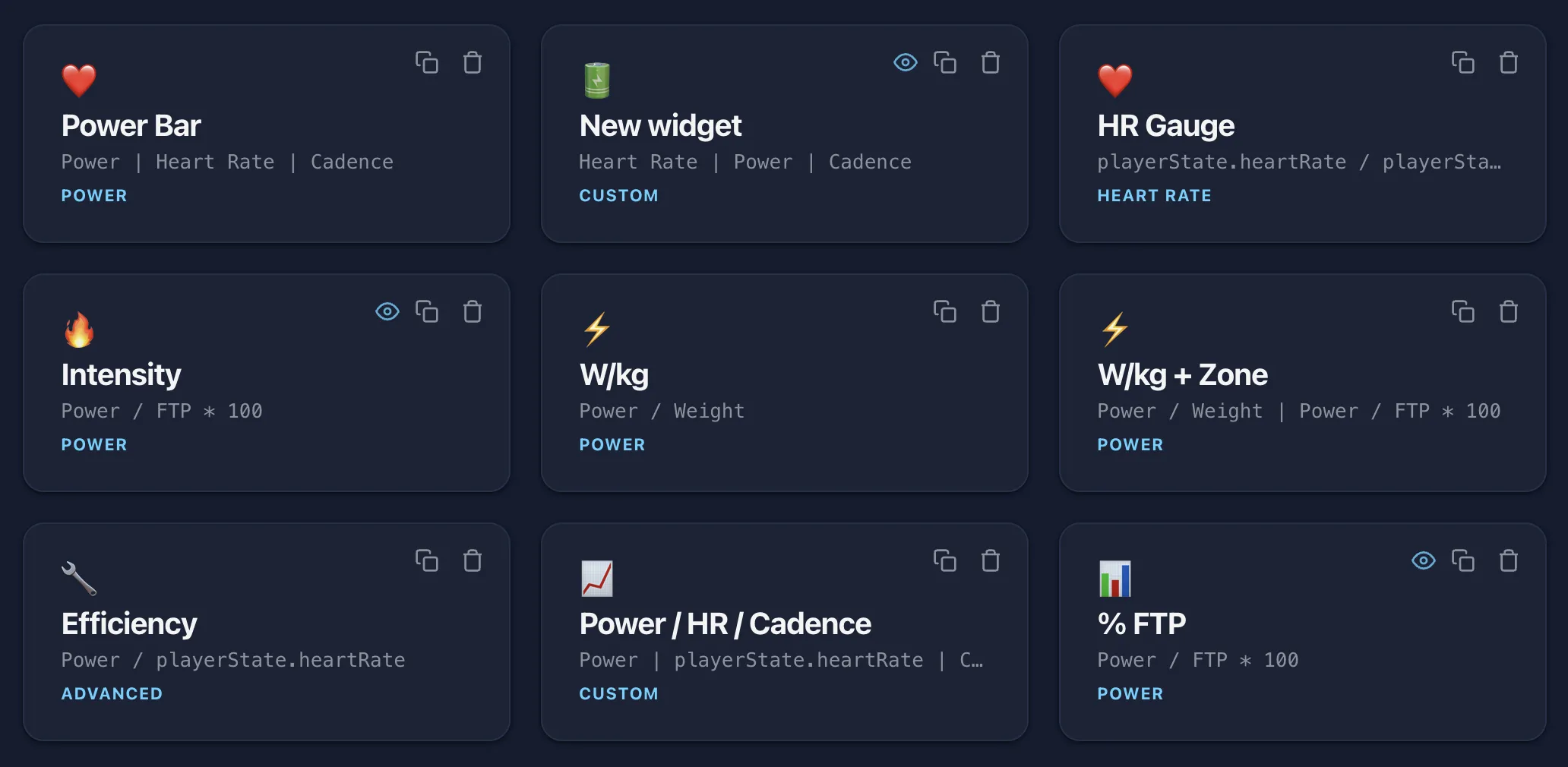
Copy these formulas into the widget builder or use them as inspiration for your own.
W/kg
Power / WeightWatts per kilogram, the most common power-to-weight ratio.
% of FTP
Power / FTP * 100Current power as a percentage of your FTP. Useful for pacing by intensity.
Variability Index
NP / Avg PowerVariability Index, how steady your effort is. Closer to 1.0 means more even pacing.
Efficiency
Power / Heart RateEfficiency Factor: watts produced per heartbeat. Higher is more efficient.
TSS/hr
round(TSS / (Elapsed / 3600))TSS per hour, your rate of stress accumulation. Useful for comparing interval density.
Best sustained
max(Peak 5m, NP)The higher of your best 5-minute power or Normalized Power for the session.
% HRR
(Heart Rate - 48) / (190 - 48) * 100Heart rate reserve percentage (replace 48 with your resting HR and 190 with your max HR).
Quality time
Zone 4 Time + Zone 5 TimeTotal time spent in threshold and VO2max zones combined: your "quality time" in a workout.
Smoothed power
Power 30sYour average power over the last 30 seconds. A steadier read than instantaneous watts for pacing long efforts without hitting the lap button.
Smoothed W/kg
Power 3s / WeightW/kg smoothed over 3 seconds, the classic head-unit display. Damps the spikes so the number is readable while you ride.
Time at threshold
HR7:Z4 Time + HR7:Z5 TimeSeconds spent from 94% to 102% of LTHR (7-zone Z4 plus Z5). The HR7: prefix means the 7-zone model; format as a duration to track time right around threshold.
Time above threshold
HR7:Z6 Time + HR7:Z7 TimeTime above 102% of LTHR in the 7-zone model (Z6 plus Z7): your hard, anaerobic minutes. Format as a duration.
Smoothed %FTP
Power 30s / FTP * 100Your last-30-seconds power as a percentage of FTP. Steadier than instantaneous %FTP for holding an interval on target. Suffix with a percent sign.
Efficiency (30s)
Power 30s / HR 30sWatts per heartbeat over the last 30 seconds, both smoothed. Watch it sag as you tire on a long effort.
Surge vs steady
Power 3s - Power 60sHow far your current effort sits above your last minute. Positive means you are surging, negative means you are easing off.
Easy time
HR7:Z1 Time + HR7:Z2 TimeCombined time in the two easiest heart-rate zones. Handy on a recovery ride to check you are actually staying easy. Format as a duration.
Above-threshold %
(HR7:Z5 Time + HR7:Z6 Time + HR7:Z7 Time) / Elapsed * 100What share of the whole session you have spent above threshold. Suffix with a percent sign.
Power drift
abs(Int Delta Power)Absolute power drift between intervals. Tells you how much your power changed regardless of direction.
Mins left
ceil(Remaining / 60)Minutes remaining in the workout, always rounded up. Handy as a countdown timer.
Over-threshold %
if(Power > FTP, Power / FTP * 100, 0)Shows percent over FTP only when you’re actually above threshold, otherwise reads zero.
Safe W/kg
if(Weight > 0, Power / Weight, 0)Safe W/kg that won’t flash NaN before your profile loads; the divide is skipped until weight is known.
Grinding flag
(Power > 200) * (Cadence < 80)Logical AND via multiplication: returns 1 only when both conditions are true. Pair with a text or color threshold to show "grinding".
Top zone flag
if(Heart Rate > 0.9 * Max HR, 1, 0)Returns 1 in your top HR zone, 0 below. Drop it into a number widget with a text threshold to label the zone.
Hill cost
Run Pace - Grade Adjusted PaceRunning: what the incline costs you, in seconds per km or mile. Zero on the flat, more the steeper the treadmill.
Pace vs average
Run Pace - Run Avg PaceRunning: how your current pace compares with your average so far, in seconds per km or mile. Negative means you are running faster than your average.
Split vs target
Split - 120Rowing: seconds off a 2:00 /500m split. Negative means faster; change 120 to your own target split in seconds.
Watts per stroke
Power / Stroke RateRowing: watts per stroke, how much each stroke carries. The same number as the built-in SPI field, shown here to make it your own.
Heart rate and rolling
HR zone models and rolling averages
Two field families are worth a closer look before you dive into the full list: the heart-rate zone models and the rolling-average metrics.
Heart rate zones
Every HR zone field is anchored to your Lactate Threshold Heart Rate (LTHR), set under Athlete Settings. Zones are stored as a percentage of LTHR, so they rescale automatically whenever your LTHR changes. Two models are available and both start from that same LTHR.
The 5-zone model (fields under HR Zones (5-zone), prefixed HR5:) is the app default for zone displays. The 7-zone model (HR Zones (7-zone), prefixed HR7:) follows Joe Friel’s cycling zones: zones 1 to 4 are identical to the 5-zone model, and the supra-threshold top end splits into three so time just above threshold reads separately from deep anaerobic work.
Not sure which to pick? The 5-zone model is plenty for everyday training and matches the zones most athletes already know. Reach for the 7-zone model when you specifically want to separate the effort just above threshold from all-out anaerobic work, for example to track time spent right around threshold.
Interval HR targets inside a workout are a separate thing: the player resolves those straight from your %LTHR, so neither zone model changes how they work.
7-zone model (percent of LTHR)
| Zone | Name | Range |
|---|---|---|
Z1 | Recovery | up to 80% |
Z2 | Aerobic | 81-89% |
Z3 | Tempo | 90-93% |
Z4 | Sub-Threshold | 94-99% |
Z5 | Super-Threshold | 100-102% |
Z6 | Aerobic Capacity | 103-106% |
Z7 | Anaerobic Capacity | 107%+ |
Reading the HR zone field names
An HR zone field name is three pieces. Take HR7:Z4 Time:
HR7 | Z4 | Time |
|---|---|---|
| heart rate, 7-zone model | zone 4 | seconds spent there |
So it reads: seconds spent in heart-rate zone 4, using the 7-zone model. The model is just the prefix: HR5: is the 5-zone model and HR7: is the 7-zone model, so HR5:Z4 Time and HR7:Z4 Time are the same zone counted in each.
There are two kinds of zone field, and they answer different questions:
HR7:Zone(no zone number) is which zone am I in right now: a single number, 1 to 7, that changes as your heart rate moves. Pair it with color thresholds for a tile that recolors by zone.HR7:Z4 Time(a specific zone) is a stopwatch for that one zone: the seconds you have banked in it so far, counting up all session. There is one per zone.
Mid-session, HR7:Zone might read 4 while HR7:Z4 Time reads 8:20 and HR7:Z5 Time reads 0:00. Same split exists in the 5-zone model: HR5:Zone plus HR5:Z1 Time through HR5:Z5 Time.
Rolling averages
Instantaneous power and heart rate jump around so much they are hard to pace by. A rolling average smooths the number to something you can actually hold, and it keeps updating on its own, so it is ideal for long steady efforts where you are not pressing the lap button.
The fields under Rolling Avg report the mean of a metric over a trailing window: a fixed span that follows you through the whole session. Power offers 3, 5, 10, 30 and 60 second windows plus 5 and 10 minute windows; heart rate offers 10, 30 and 60 seconds; cadence offers 10 and 30 seconds. So Power 3s is the classic head-unit smoothing, while Power 30s or Power 5m hold steadier for a long climb.
Coasting (0 W) counts toward the power average. A dropped heart-rate or cadence sensor is skipped rather than read as zero, and a rolling field shows nothing until it has at least one reading in its window. Format it as a number with a suffix like w or bpm, exactly like a live field.
Formatting
Shaping the output
A formula produces a raw number. How it looks on the widget is up to you, which is why a few examples above say things like “format as a duration” or “suffix with a percent sign.”
The basics
Each metric has a few knobs. Pick Number or Duration: a duration shows mm:ss instead of a big second count, which is what you want for the zone timers, lap and workout time, and anything else measured in seconds. Set how many decimals to show, and add a suffix (w, bpm, %) or a prefix so the value carries its units.
Display styles
| Style | Looks like | Good for |
|---|---|---|
Number | the value itself, optionally recolored at thresholds | most metrics |
Bar / Gauge | a fill that grows toward a maximum you choose | Power / FTP * 100 toward 120, or Heart Rate toward Max HR |
Indicator | a colored dot that switches color at thresholds | current zone from HR7:Zone, red when hard |
Text | a word chosen at thresholds, not a number | labels like Endurance / Tempo / Hard |
Data fields
All 147 fields
Type any field name or alias directly into your formula. Names are case-insensitive and spaces are optional. Heart Rate, Distance, Elapsed and Power work in every sport; the Rowing and Running fields work in their own sport, and a widget shows up only in the sports where every field it uses exists.
Body Temp
| Field | Aliases | Description |
|---|---|---|
Avg Core Temp | avgcoretempavgcore | Session average core body temperature |
Avg HSI | avghsiavgheatstrain | Session average Heat Strain Index |
Avg Skin Temp | avgskintempavgskin | Session average skin temperature |
Core Temp | coretempcoretemperaturebodytemp | Current core body temperature in °C |
Heat Strain Index | hsiheatstrainheatstrainindex | Current Heat Strain Index (0-25.4) |
Max Core Temp | maxcoretempmaxcore | Maximum core body temperature recorded |
Skin Temp | skintempskintemperature | Current skin temperature in °C |
Breathing
| Field | Aliases | Description |
|---|---|---|
Avg Breath Rate | avgbravgbreathrate | Session average breath rate |
Avg Ventilation | avgveavgventilation | Session average minute ventilation |
Breath Rate | brbreathratebrpm | Current breathing rate in breaths/min |
I:E Ratio | ieieratio | Inspiration to expiration ratio |
Mean RR | meanrrrr | Mean RR interval from HRV in ms |
Minute Ventilation | veventilationminuteventilation | Current minute ventilation in L/min |
Tidal Volume | tvtidalvolume | Average inhale volume in liters |
VE 5s | ve5ve5s | 5-second rolling ventilation average |
VE 60s | ve60ve60s | 60-second rolling ventilation average |
Computed
| Field | Aliases | Description |
|---|---|---|
Avg Cadence | avgcadenceavgrpm | Session average cadence |
Avg HR | avghr | Session average heart rate |
Avg Power | avgpowerap | Session average power |
Decoupling | decouplingaeroDecoupling | Aerobic decoupling % (cardiac drift) |
IF | ifintensityfactor | Intensity Factor (NP / FTP) |
Kilojoules | kjkilojoulescalorieskcalenergy | Total energy output in kilojoules |
Max Cadence | maxcadencemaxrpm | Highest cadence recorded this session |
Max HR | maxhr | Highest heart rate recorded this session |
NP | npnormalizedpower | Normalized Power (intensity-weighted average) |
NP/kg | npkgnpperkg | Normalized Power per kilogram |
Power:HR | powerhrphr | Efficiency ratio (power / heart rate) |
Torque | torque | Estimated torque (power / cadence proxy) |
TL | tsstl | Training load |
VI | vivariabilityindex | Variability Index (NP / Avg Power) |
W/kg | wkgwattsperkg | Current watts per kilogram of body weight |
Rowing
| Field | Aliases | Description |
|---|---|---|
Split | splitpacesplit500 | Current pace: seconds per 500m (format as duration) |
Stroke Rate | strokeratespmrate | Strokes per minute |
SPI | spistrokepowerindex | Stroke Power Index: watts per stroke |
Drag Factor | dragfactordrag | Machine drag factor reported by the erg |
Running
| Field | Aliases | Description |
|---|---|---|
Run Pace | runpace | Current pace: seconds per km or mile in your units (format as duration) |
Run Avg Pace | runavgpaceavgrunpace | Average pace so far over moving time: seconds per km or mile (format as duration) |
Run Lap Pace | runlappacelappace | Pace of the current lap: seconds per km or mile (format as duration) |
Grade Adjusted Pace | gapgradeadjustedpace | The flat-ground pace with the same effort as this speed up this incline: seconds per km or mile (format as duration) |
Run Speed | runspeedbeltspeed | Current speed in km/h or mph |
Incline | inclinetreadmillincline | Treadmill incline in percent |
Step Cadence | stepcadenceruncadence | Steps per minute |
Elevation Gain | elevationgainclimbed | Climbed so far in metres or feet (from the incline on a treadmill) |
Strength
| Field | Aliases | Description |
|---|---|---|
Reps Done | repsdonerepsinset | Reps done in the current set (0 on a rest or a hold) |
Target Reps | targetrepsrepstarget | The reps the current set asks for (empty on a hold) |
Set Number | setnumber | Which set of this exercise you are on (the next one during a rest) |
Set Count | setcountsetsofexercise | How many sets this exercise has |
Lift Weight | liftweightdumbbellweight | The weight of the current or next set, in kg or lb in your units (empty for bodyweight) |
Step Time Left | steptimeleftrestleftholdleft | Seconds left in the current rest or hold (format as duration) |
Time in Sets | timeinsetsworktime | Seconds spent in sets so far, rests excluded (format as duration) |
HR Zones (5-zone)
| Field | Aliases | Description |
|---|---|---|
HR5:Zone | hrzonehzonehr5zone | Current heart rate zone (5-zone LTHR model, 1-5) |
HR5:Z1 Time | hrz1timehrzone1hr5z1time | Time in HR zone 1 (Recovery, under 81% LTHR) in seconds |
HR5:Z2 Time | hrz2timehrzone2hr5z2time | Time in HR zone 2 (Aerobic, 81-89% LTHR) in seconds |
HR5:Z3 Time | hrz3timehrzone3hr5z3time | Time in HR zone 3 (Tempo, 90-93% LTHR) in seconds |
HR5:Z4 Time | hrz4timehrzone4hr5z4time | Time in HR zone 4 (Sub-Threshold, 94-99% LTHR) in seconds |
HR5:Z5 Time | hrz5timehrzone5hr5z5time | Time in HR zone 5 (Supra-Threshold, 100%+ LTHR) in seconds |
HR Zones (7-zone)
| Field | Aliases | Description |
|---|---|---|
HR7:Zone | hrzone7hzone7hr7zone | Current heart rate zone (7-zone Friel LTHR model, 1-7) |
HR7:Z1 Time | hrz1time7hr7zone1hr7z1time | Time in 7-zone HR zone 1 (Recovery, under 81% LTHR) in seconds |
HR7:Z2 Time | hrz2time7hr7zone2hr7z2time | Time in 7-zone HR zone 2 (Aerobic, 81-89% LTHR) in seconds |
HR7:Z3 Time | hrz3time7hr7zone3hr7z3time | Time in 7-zone HR zone 3 (Tempo, 90-93% LTHR) in seconds |
HR7:Z4 Time | hrz4time7hr7zone4hr7z4time | Time in 7-zone HR zone 4 (Sub-Threshold, 94-99% LTHR) in seconds |
HR7:Z5 Time | hrz5time7hr7zone5hr7z5time | Time in 7-zone HR zone 5 (Super-Threshold, 100-102% LTHR) in seconds |
HR7:Z6 Time | hrz6time7hr7zone6hr7z6time | Time in 7-zone HR zone 6 (Aerobic Capacity, 103-106% LTHR) in seconds |
HR7:Z7 Time | hrz7time7hr7zone7hr7z7time | Time in 7-zone HR zone 7 (Anaerobic Capacity, 107%+ LTHR) in seconds |
Rolling Avg
| Field | Aliases | Description |
|---|---|---|
Power 3s | power3spwr3s | Average power over the last 3 seconds |
Power 5s | power5spwr5s | Average power over the last 5 seconds |
Power 10s | power10spwr10s | Average power over the last 10 seconds |
Power 30s | power30spwr30s | Average power over the last 30 seconds |
Power 60s | power60spower1mpwr60s | Average power over the last 60 seconds |
Power 5m | power5mpower300spwr5m | Average power over the last 5 minutes |
Power 10m | power10mpower600spwr10m | Average power over the last 10 minutes |
HR 10s | hr10sbpm10s | Average heart rate over the last 10 seconds |
HR 30s | hr30sbpm30s | Average heart rate over the last 30 seconds |
HR 60s | hr60shr1mbpm60s | Average heart rate over the last 60 seconds |
Cadence 10s | cadence10srpm10s | Average cadence over the last 10 seconds |
Cadence 30s | cadence30srpm30s | Average cadence over the last 30 seconds |
Intervals
| Field | Aliases | Description |
|---|---|---|
Int Avg Cadence | intavgcadenceintcadence | Average cadence in current interval |
Int Avg HR | intavghrinthrintervalavghr | Average heart rate in current interval |
Int Avg Power | intavgpowerintpowerintervalavgpower | Average power in current interval |
Int Cadence High | intcadencehigh | Cadence range upper bound |
Int Cadence Low | intcadencelow | Cadence range lower bound |
Int Cadence Target | intcadencetargetintervalcadence | Cadence target for current interval |
Int HR High | inthrhigh | Heart-rate target range upper bound (bpm, resolved from %LTHR) |
Int HR Low | inthrlow | Heart-rate target range lower bound (bpm, resolved from %LTHR) |
Int HR Target | inthrtargetintervalhr | Heart-rate target for current interval (bpm, resolved from %LTHR) |
Int Delta HR | intdeltahrdeltahr | HR drift vs. previous interval |
Int Delta Power | intdeltapowerdeltap | Power drift vs. previous interval |
Interval Num | intervalindexintnumintervalnum | Current interval number |
Next Int % FTP | nextftpnextint%ftp | Target % FTP for the next interval |
Next Int Duration | nextdurationnextintduration | Duration of the next interval in seconds |
Live
| Field | Aliases | Description |
|---|---|---|
% FTP | %ftpftppctftppercent | Current power as a fraction of FTP (0-1) |
Avg HR Live | avghrliveavgbpm | Running average heart rate from start |
Cadence | cadencerpm | Current pedaling cadence in RPM |
Distance | distancedist | Total distance traveled in meters |
Elapsed | elapsedtime | Total workout time in seconds |
FTP Adjustment | adjustmentftpadjustadjustmentwatts | Manual FTP bias adjustment in watts |
Heart Rate | hrbpmheartrate | Current heart rate in bpm |
Interval Remaining | intervalremainingintrem | Time left in current interval in seconds |
Power | powerwattsw | Current power output in watts |
Remaining | remaining | Time left in workout in seconds |
Speed | speed | Virtual speed in m/s |
Target Power | targettargetpowerrawtarget | Workout target power for current interval |
Trainer Target | trainertargetpmtargetadjustedtarget | Power Match adjusted target sent to trainer (null if PM inactive) |
Peaks
| Field | Aliases | Description |
|---|---|---|
Peak 5s | peak5speak5 | Best 5-second average power |
Peak 15s | peak15speak15 | Best 15-second average power |
Peak 30s | peak30speak30 | Best 30-second average power |
Peak 1m | peak1mpeak60peak60s | Best 1-minute average power |
Peak 2m | peak2mpeak120peak120speak2min | Best 2-minute average power |
Peak 5m | peak5mpeak300peak5min | Best 5-minute average power |
Peak 10m | peak10mpeak600peak10min | Best 10-minute average power |
Peak 20m | peak20mpeak1200peak20min | Best 20-minute average power |
Profile
| Field | Aliases | Description |
|---|---|---|
FTP | ftp | Functional Threshold Power setting |
Weight | weightbodyweightkg | Body weight in kilograms |
Gearing
| Field | Aliases | Description |
|---|---|---|
Gear Ratio | gearratioratiogear | Current virtual gear ratio (evenly spaced ladder between the preset's easiest and hardest gears) |
Chainring | chainringfront | Front chainring teeth of the closest real gear combination |
Cog | cogrearsprocket | Rear cassette cog teeth of the closest real gear combination |
Gear Index | gearindexgearnumbergearnum | Current gear position (0-based index in sequential gear list) |
Total Gears | totalgearsgearcount | Total number of virtual gears |
Gear Force | gearoffsetgeargradegearforce | Force change vs neutral gear (%) |
Strain
| Field | Aliases | Description |
|---|---|---|
Strain High | strainhighglycolyticstrain | Glycolytic training load (zone 4-5) |
Strain Low | strainlowaerobicstrain | Aerobic training load (zone 1-3) |
Strain Peak | strainpeaknmstrain | Neuromuscular training load (zone 6-7) |
Route
| Field | Aliases | Description |
|---|---|---|
Climbing Remaining | climbingremainingclimbingleftelevationleft | Remaining elevation gain to the end of the eRoute (metres) |
Distance Remaining | distanceremainingdistremroutedistleft | Remaining eRoute distance in metres |
eRoute Elevation | routeelevationrouteeleelevation | Current elevation interpolated from the GPS eRoute (metres) |
eRoute Grade | routegradegradegradepcentgradient | Current road gradient (%) |
eRoute Position | routeprogressroutepctrouteprogresspctrouteposition | Your position along the eRoute as a percentage (0-100) |
eRoute Total Distance | routetotaldistanceroutetotaldistroutelength | Total eRoute distance in metres |
Total Elevation Gain | totalelevationgaintotalgainroutegain | Total elevation gain for the full eRoute (metres) |
Laps
| Field | Aliases | Description |
|---|---|---|
Lap Number | lapnumberlapnumlap | Current lap number (loop routes) |
Lap Time | laptimelaptimer | Elapsed time in current lap (seconds) |
Lap Avg Power | lapavgpowerlappower | Average power in current lap |
Lap Avg HR | lapavghrlaphr | Average heart rate in current lap |
Best Lap | bestlapbestlaptimefastestlap | Fastest completed lap time (seconds) |
Last Lap | lastlaplastlaptimepreviouslap | Most recent completed lap time (seconds) |
Completed Laps | completedlapslapcountlaps | Number of completed laps |
W'bal
| Field | Aliases | Description |
|---|---|---|
Time to Empty | ttetimetoempty | Seconds until W'bal fully depleted |
W'bal % | wbalwbalpctwbal% | Anaerobic energy remaining (0-100%) |
W'bal Joules | wbaljwbaljoules | Anaerobic energy remaining in joules |
Zones
| Field | Aliases | Description |
|---|---|---|
Power Zone | powerzonepzone | Current power zone (1-7) |
Zone 1 Time | z1timezone1 | Time in power zone 1 (seconds) |
Zone 2 Time | z2timezone2 | Time in power zone 2 (seconds) |
Zone 3 Time | z3timezone3 | Time in power zone 3 (seconds) |
Zone 4 Time | z4timezone4 | Time in power zone 4 (seconds) |
Zone 5 Time | z5timezone5 | Time in power zone 5 (seconds) |
Zone 6 Time | z6timezone6 | Time in power zone 6 (seconds) |
Zone 7 Time | z7timezone7 | Time in power zone 7 (seconds) |
Ready to build?
Open the widget builder and start creating custom data items with your own formulas.